
Statamic without the command line. messing with Composer. devops skills for deploying.
Sherpa is a native Mac app for working with Statamic websites. Pick a starter kit, edit in the Control Panel, preview on your Mac, and publish your sites all without opening the terminal.
macOS 14+ Apple silicon Totally Free
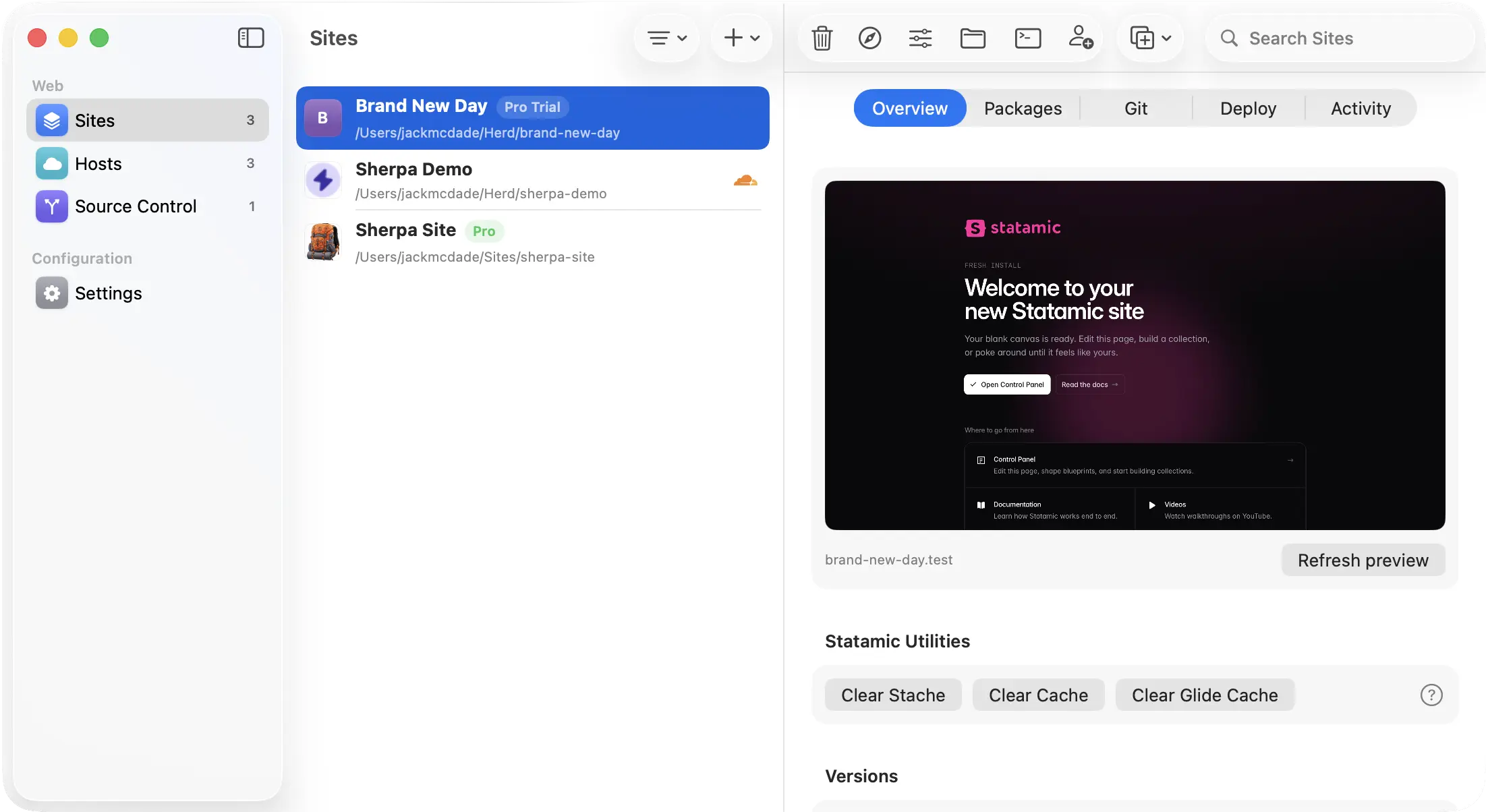
All the tools you need to work with Statamic.
Now you have no excuse not to try it. What do you have to lose?
- Start a new site
- Pick a starter kit or start blank. Sherpa sets everything up.
- starters · marketplace
- Preview on your Mac
- Your site runs locally with a real web address. No server setup.
- https · local preview
- Install addons
- Browse the Marketplace and install addons with a click.
- composer · bundled
- Save your work
- Back up changes and sync to GitHub, GitLab, or Bitbucket — built in.
- git · github · gitlab
- Go live
- Publish to the web in one click. Sites with a Control Panel, handled.
- laravel cloud
- Publish a fast site
- Build static HTML and ship to Netlify or Cloudflare Pages.
- netlify · cloudflare pages
I built and launched my whole site on a Saturday morning without opening the terminal once.

Fake Chad
Send us a real quote!Sherpa-0.9.0.dmg · signed & notarized
Download and go.
Double-click the installer. Open Sherpa. Make a site.
macOS 14+ · Apple silicon · Free
Things you might ask.
Something else? Ask in Discord or start a GitHub discussion.
Is Sherpa free?
Yes. Sherpa is free.
What is Statamic?
Statamic is a flat-file CMS with a visual Control Panel, made by the same team behind this app.
Do I need to know how to code?
No. Use the Control Panel like any CMS admin. Code is there if you want it, never required.
Can I use this if I've never used Statamic?
Yes. Sherpa is built for your first site.
Do I need to install anything else first?
No. Sherpa includes everything. Download, open, go. If you already use Laravel Herd, Sherpa detects it and uses your existing setup.
Does it work with Statamic sites I already have?
Yes. Point Sherpa at the folder and it detects the Statamic version, installs dependencies, and starts serving. Nothing about your site changes.
Where can I deploy?
One click from the app. Dynamic sites go to Laravel Cloud, and static builds ship to Netlify or Cloudflare Pages. More targets as we add them.
What happens to my API tokens and keys?
They live in the macOS Keychain on your machine. Sherpa never writes them into your sites, so they can't end up in a repo by accident.
Is there a Windows or Linux version?
Not yet. Sherpa is a native Mac app first, and we'd rather do one platform well than three platforms badly. If that changes, you'll hear it here first.